Extract Email Addresses from Outlook Emails & Calendars

SigParser automatically scans Outlook emails and calendars to extract email addresses and contact details (name, phone, title, address, and more)

Connect up to three mailboxes in a free trial to find email addresses and contact details for yourself, your team, or your entire business

Automatically Extract Email Addresses and More from Outlook

Sigparser connects to Outlook, Microsoft 365, Exchange, and many other email providers to automatically scan emails and calandars to extract email addresses and other contact details. All contact details found by SigParser can be easily exported to Excel, CSV, CRM, or Contact apps.

Learn How SigParser Works

Click the button below to learn more about SigParser.
Learn More

Extract More Than
Just Email Addresses

SigParser scans all of the content in emails and calendars to find and extract contact details such as full names, phone numbers, titles, addresses, and more.
Email Addresses
First & Last Names
Business Names
Phone Numbers
Business Addresses
Social Profiles
Try Extracting Email Addresses for Free
We're offering a free trial of SigParser so you can find contact details in past emails and calendars. You can connect up to three mailboxes and calendars to SigParser as part of your free trial.

How SigParser Works

SigParser can be set up in minutes to automatically scan, extract, and sync contact and account details with CRMs and other applications.
Step 1

Connect Your Mailboxes

Easily connect one or hundreds of mailboxes to automatically scan all of your emails and calendar meetings for contact details. Connect your Gmail, Outlook, or Microsoft account in under 2 minutes - no IT involvement required.

Step 2

Automatically Scan Your Emails

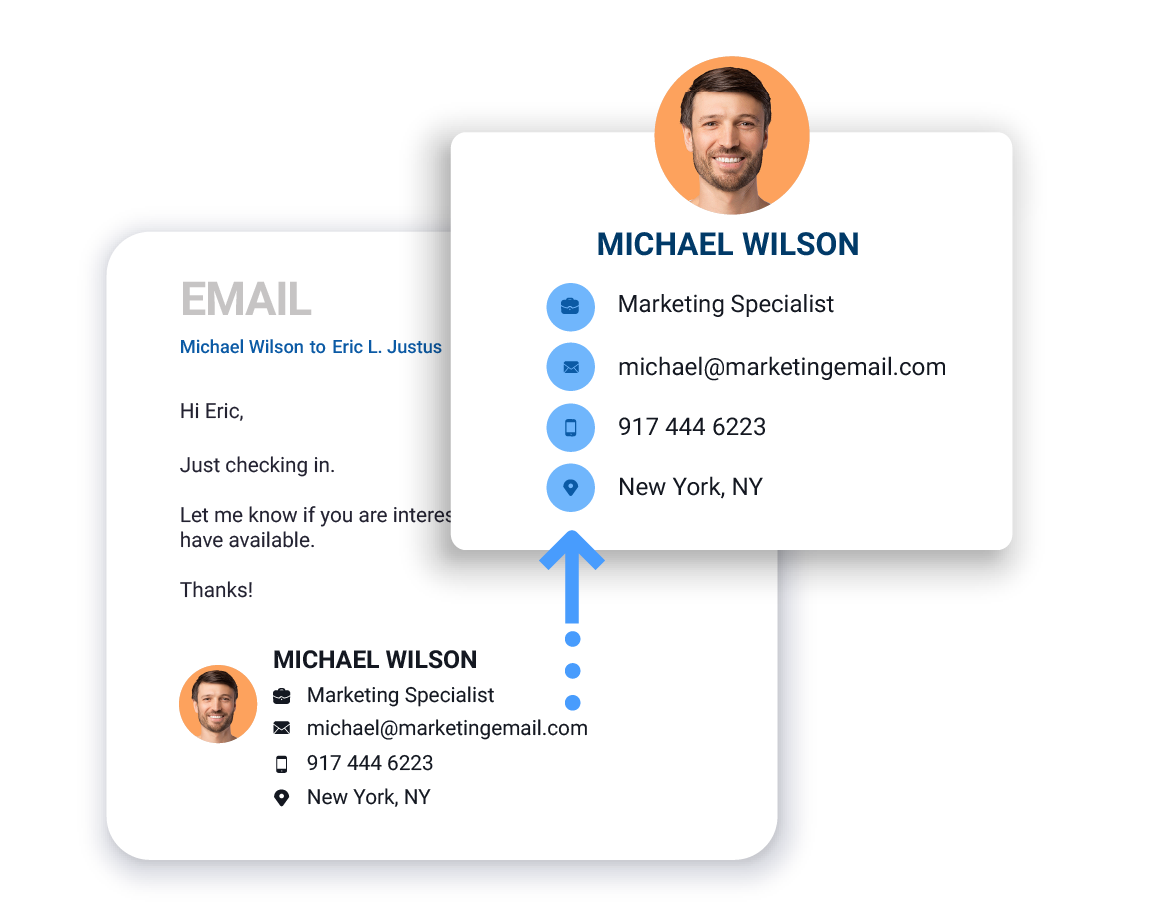
SigParser scans email headers, messages, signatures, reply chains, and more to find email addresses, names, phone numbers, titles, and more.

Parse email signature example
Step 3

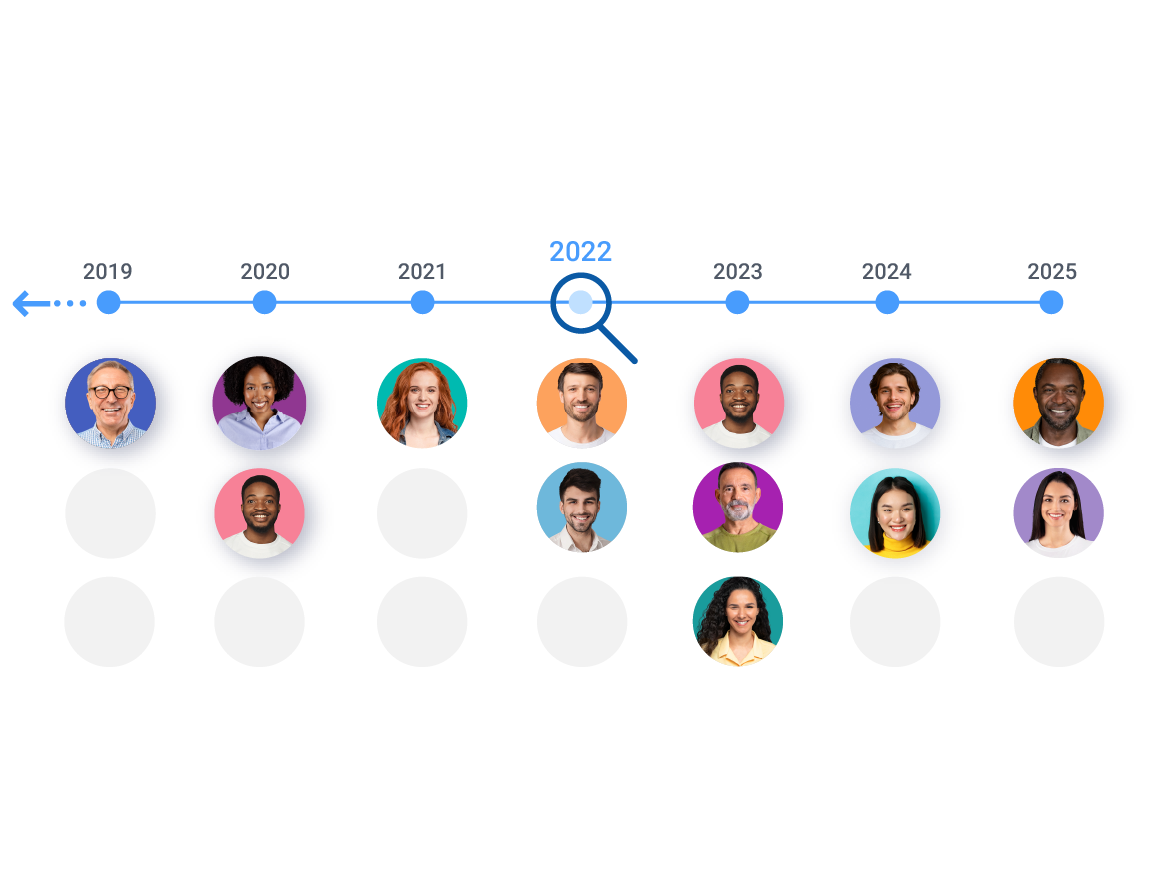
Go back up to 10 years

SigParser can scan years into the past to find email addresses and relationships details. This can yield thousands of contacts you forgot you knew and save countless hours of manual data entry.

Look back in time. History scan
Step 4

Export Lists to CSV files or to your CRM

SigParser makes it easy to export contact details to .csv or Excel files. It also integrates with CRM, Contact, and Marketing apps to automatically update your contacts.

Export Contacts to a CRM system.
SigParser Makes It Easy
Watch our 60 second video to learn how easy it is to use SigParser
Try SigParser for Free
We're offering a free trial of SigParser so you can find contact details in up to three mailboxes. Want to learn more about SigParser first? No problem, you can schedule a demonstration with a SigParser product expert.

How Many Contacts Get Found?

On average, a team of ten sales reps will find 15,600 new contacts in the past two years of their email and calendar accounts. Below are some examples of how many contacts our customers have found with SigParser.
SigParser found 35,000 new contacts in the mailboxes and calendars of just three team members. These contacts were used by inbound sales and marketing teams to reach new prospects and increase opportunities for the sales team. Read the case study.
Heat Transfer Specialists wanted increase the efficiency of their sales team by automatically updating their contacts in Salesforce. They connected 8 mailboxes to SigParser and found over 9,000 email addresses, 6,000 phone numbers, and 1,900 job titles.
Centrl Office wanted to improve data quality in their CRM for their 6 salespeople. They connected email and calendar accounts of their sales team and in just 90 days of past emails and calendars, found 3,550 new contacts and updated 1,000 existing contacts with account names, phone numbers, and titles.
Try Extracting Email Addresses for Free
Get a free trial of SigParser so you can find contact details in past emails and calendars. Or, if you want to learn more about SigParser before your free trial, you can schedule a demo with a SigParser product expert.
FAQ: Why can’t I just export contacts from Outlook?
Outlook’s built-in export (File > Open & Export > Import/Export) only exports contacts you have manually saved to your Contacts folder. It does not extract email addresses from the messages sitting in your inbox, sent folder, or reply chains. SigParser fills that gap by scanning your actual emails and calendar meetings to surface every address you have ever corresponded with, including people you never saved as a contact.
FAQ: Does the new Outlook have a way to export all email addresses?
No. The new Outlook (released in 2023 and updated through 2024 and 2025) removed several features from the classic desktop app, and bulk email address extraction from messages is not available natively in either version. Microsoft support forums are full of users asking for exactly this feature. SigParser connects to your Outlook or Microsoft 365 account via OAuth and handles this automatically, without any changes to how you use Outlook day to day.
FAQ:Does SigParser work with Office 365 and Exchange?
Yes. SigParser connects to Outlook desktop, Microsoft 365 (formerly Office 365), Exchange Server, and any IMAP-compatible email account. Setup uses Microsoft’s OAuth authentication, so no password is required. You can connect a single mailbox or your entire organization’s Exchange environment, and SigParser will scan and deduplicate contacts across all of them.
FAQ: What’s included in the free trial? Will I get charged?
The free trial includes a 90-day historical scan across up to three Outlook or Microsoft 365 mailboxes. No credit card is required to start. You will only be asked to pay if you want to scan further back in history, add more mailboxes, or subscribe for ongoing monitoring. Most users find hundreds of contacts in the free trial before deciding whether to go further.
FAQ: How many contacts will SigParser find in my Outlook account?
.On average, SigParser finds around 7,400 contacts per mailbox per year of email history. A team of 10 sales reps scanning two years of Outlook history typically uncovers 15,600 contacts. One customer connected 8 Outlook mailboxes and found over 9,000 email addresses, 6,000 phone numbers, and 1,900 job titles. Your first 90 days of history are free, so you can see your own results before committing to anything.
FAQ: How long does setup take?
About two minutes. You authorize SigParser to connect to your Outlook or Microsoft 365 account using Microsoft’s secure OAuth login, choose how far back to scan, and SigParser starts immediately. There is no software to install, no IT support required, and nothing changes about how you use Outlook. Most users have their first contacts ready to export within a few hours of connecting.
FAQ: Can I connect multiple Outlook or Office 365 accounts?
Yes. SigParser supports connecting one mailbox or hundreds, including a mix of individual Outlook accounts, shared Microsoft 365 mailboxes, and Exchange accounts. Contacts are automatically deduplicated across all connected accounts, so the same person appearing in multiple inboxes becomes one clean, complete record. The more mailboxes you connect, the more complete your contact picture becomes.
FAQ: Does SigParser extract more than just email addresses from Outlook?
Yes. SigParser pulls over 60 contact fields from Outlook email signatures and calendar invites, including full name, phone numbers, job title, company name, LinkedIn URL, and physical address. It also extracts meeting participants from Outlook Calendar, surfacing contacts from people who attended meetings but may never have sent you an email directly. You get complete contact records, not just a list of addresses.
FAQ: Can SigParser find contacts in forwarded Outlook emails and reply chains?
Yes, and this is something Outlook’s native tools and most third-party extractors cannot do. SigParser reads deeply nested reply chains and forwarded messages to surface contact details from every sender in the thread, not just the most recent one. These are often the most valuable contacts because they represent real business conversations that happened before anyone thought to save the address.
FAQ: Can I export the extracted contacts to Excel or my CRM?
Yes. Once SigParser has extracted your Outlook contacts, you can export them as a CSV or Excel file in one click. SigParser also integrates directly with Salesforce, HubSpot, and Microsoft Dynamics for CRM enrichment, and with Mailchimp and Constant Contact for email marketing. For teams who want continuous sync, Zapier and Make.com connectors are available to push new contacts automatically as your Outlook activity continues.
FAQ: Does SigParser need my Outlook or Microsoft 365 password?
No. SigParser connects using Microsoft’s OAuth authentication standard, the same method used by apps like Teams, Slack, and Salesforce to connect to Microsoft 365. You authorize access directly through Microsoft’s own login screen. SigParser never sees or stores your password, and you can revoke access at any time from your Microsoft account security settings. SigParser is SOC 2 certified and all data is encrypted at rest and in transit.
FAQ: What languages does SigParser support for Outlook emails?
SigParser has best-in-class support for English signatures and contact data from Outlook. German is the next strongest, followed by solid support for Spanish, French, Portuguese, Russian, and Dutch. If your Outlook account contains a mix of languages, SigParser will handle each according to its language support level.
Next: Start a Free Trial or Schedule a Demo
We're offering a live demonstration and a free trial of SigParser so you can find and extract email addresses and contact details from Outlook emails and calendars. Click one of the buttons below to take the next step.