Automatically Extract
Email Addresses from Outlook or Gmail

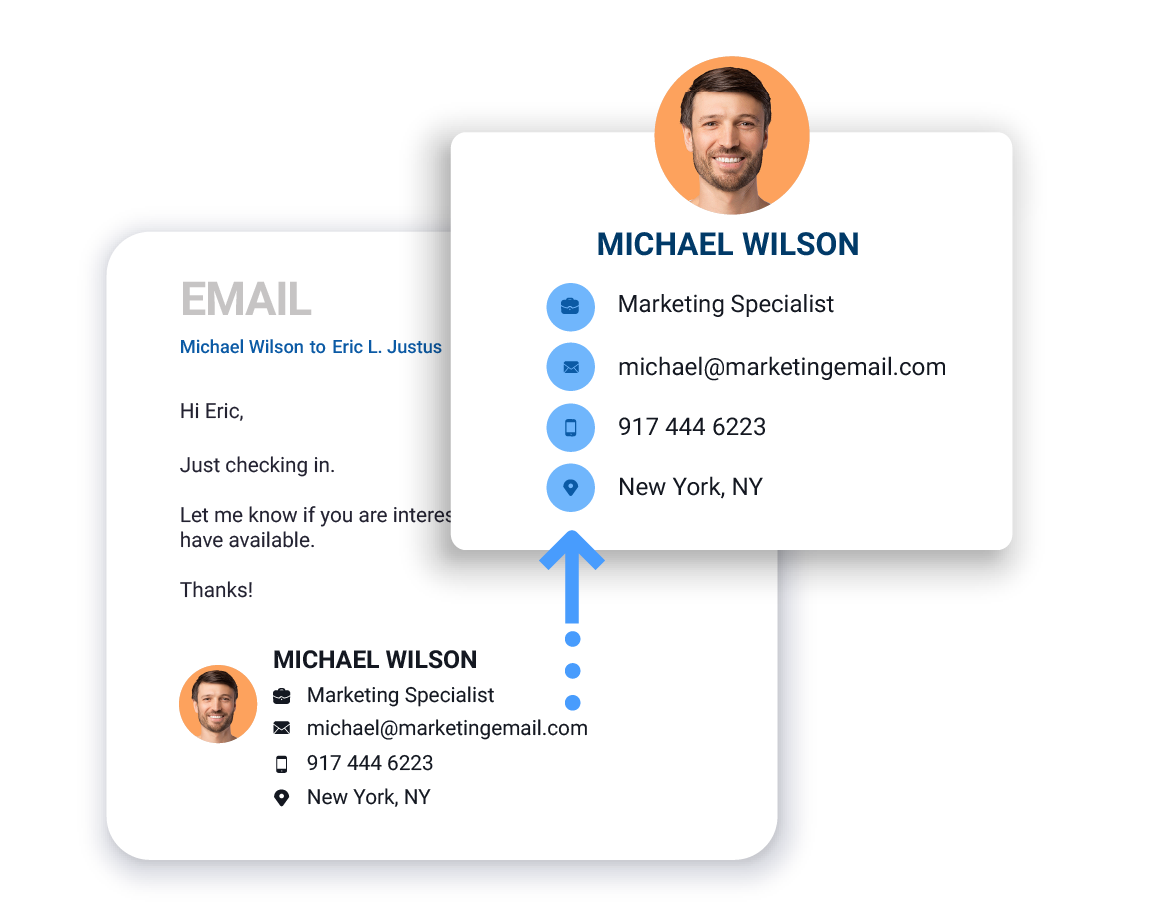
SigParser automatically scans past emails and calendars to extract email addresses and other contact details (names, phone numbers, titles, addresses, etc.)

Connect up to three mailboxes in a free trial to find email addresses and contact details for yourself, your team, or your entire business

Fully Automated Email Address Extractor

Sigparser connects to Outlook, Gmail, and many other email providers to automatically scan emails and calendars to extract email addresses and other contact details. The contact details extracted by SigParser can be easily exported to CRM, Contact, and Spreadsheet apps.

Learn How SigParser Works

Click the button below to learn more about SigParser.
Learn More

Extract More Than
Just Email Addresses

SigParser scans all of the content in emails and calendars to find and extract contact details such as full names, phone numbers, titles, addresses, and more.
Email Addresses
First & Last Names
Business Names
Phone Numbers
Business Addresses
Social Profiles
Extract Email Addresses for FREE
We're offering a FREE trial of SigParser so you can find email addresses and contact details in your past emails and calendars. Most people find hundreds of contacts in their free trial.

How SigParser Works

SigParser can be set up in minutes to automatically scan, extract, and sync contact and account details with CRMs and other applications.
Step 1

Connect Your Mailboxes

Easily connect one or hundreds of mailboxes to automatically scan all of your emails and calendar meetings for contact details. Connect your Gmail, Outlook, or Microsoft account in under 2 minutes - no IT involvement required.

Step 2

Automatically Scan Your Emails

SigParser scans email headers, messages, signatures, reply chains, and more to find email addresses, names, phone numbers, titles, and more.

Parse email signature example
Step 3

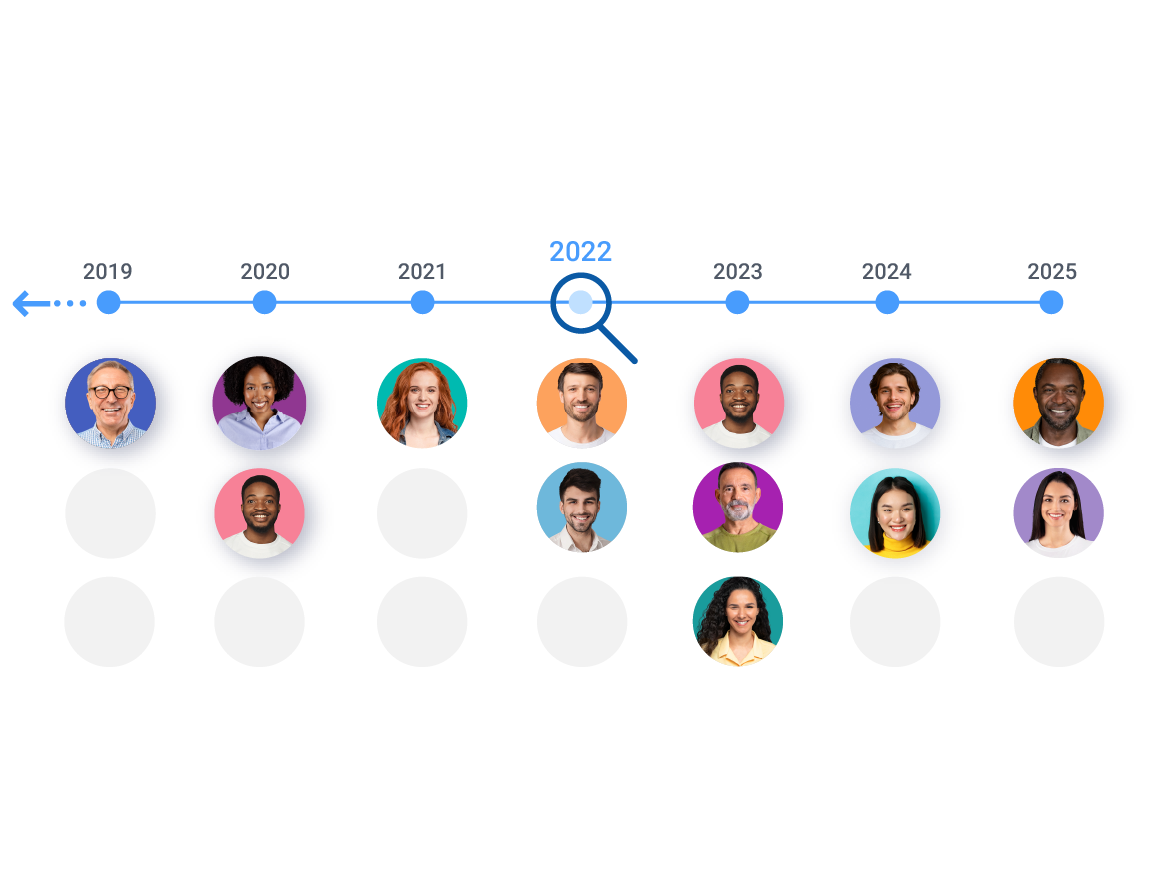
Go back up to 10 years

SigParser can scan years into the past to find email addresses and relationships details. This can yield thousands of contacts you forgot you knew and save countless hours of manual data entry.

Look back in time. History scan
Step 4

Export Lists to CSV files or to your CRM

SigParser makes it easy to export contact details to .csv or Excel files. It also integrates with CRM, Contact, and Marketing apps to automatically update your contacts.

Export Contacts to a CRM system.
SigParser Makes It Easy
Watch our 60 second video to learn how easy it is to use SigParser
Extract Email Addresses for FREE
We're offering a FREE demonstration and trial of SigParser so you can find email addresses and contact details in your past emails and calendars. Most people find hundreds of contacts in their free trial.

How Many Contacts Get Found?

On average, a team of ten sales reps will find 15,600 new contacts in the past two years of their email and calendar accounts. Below are some examples of how many contacts our customers have found with SigParser.
SigParser found 35,000 new contacts in the mailboxes and calendars of just three team members. These contacts were used by inbound sales and marketing teams to reach new prospects and increase opportunities for the sales team. Read the case study.
Heat Transfer Specialists wanted increase the efficiency of their sales team by automatically updating their contacts in Salesforce. They connected 8 mailboxes to SigParser and found over 9,000 email addresses, 6,000 phone numbers, and 1,900 job titles.
Centrl Office wanted to improve data quality in their CRM for their 6 salespeople. They connected email and calendar accounts of their sales team and in just 90 days of past emails and calendars, found 3,550 new contacts and updated 1,000 existing contacts with account names, phone numbers, and titles.
Extract Email Addresses for FREE
We're offering a FREE demonstration and trial of SigParser so you can find email addresses and contact details in your past emails and calendars. Most people find hundreds of contacts in their free trial.
FAQ: What exactly does SigParser extract emails from?
SigParser extracts contact information from your own email and calendar history. It connects to your Gmail, Outlook, or Office 365 account and scans the emails you have sent and received, the signatures in those messages, your reply chains, and your calendar meetings to build complete contact records. It does not scrape websites, does not access email accounts you do not own, and does not extract data from email message bodies.
FAQ: Can’t I just export my contacts from Gmail or Outlook directly?
The built-in export in Gmail and Outlook only exports contacts you have manually created and saved. It does not touch the email addresses, phone numbers, or job titles buried in your actual email messages, signatures, reply chains, or calendar invites. That is where the vast majority of your contact data lives. SigParser scans all of it automatically and builds complete records, including names, phone numbers, titles, and company details, not just email addresses.
FAQ: What is included in the free trial? Will I be charged?
The free trial includes a 90-day historical scan across up to three mailboxes. No credit card is required to start. You will only be asked to pay if you choose to scan further back in history, add more mailboxes, or subscribe for ongoing monitoring. Most users find hundreds of contacts in the free trial before deciding whether to continue.
FAQ: How many contacts will SigParser find in my email history?
We get this question a lot from people. You can export contacts from Google or Outlook contacts apps into a .csv file but you can only export the contacts (and contact details) that you have manually created yourself. If you have not been very diligent about creating contacts and updating your contacts, a tool like SigParser will save you countless hours of work creating, managing, and exporting contacts.
FAQ: How far back can SigParser scan?
Up to 10 years of email and calendar history. You choose the timeframe when you start: 90 days (free), 1 year, 2 years, 5 years, or 10 years. Longer scans tend to surface the most valuable contacts because they include relationships from earlier in your career that you may have lost track of entirely.
FAQ: Does SigParser only extract email addresses, or full contact details?
Full contact details. SigParser extracts over 60 fields from email signatures and calendar invites: full name, phone numbers, job title, company name, LinkedIn URL, physical address, and more. You get complete, structured contact records ready to use in your CRM or marketing platform, not a raw list of email addresses.
FAQ: Does SigParser extract from calendar meetings as well as emails?
Yes. SigParser scans both your email history and your calendar meetings. Every meeting participant’s contact details are extracted, including people who attended meetings but may never have sent you a direct email. This is especially useful for surfacing contacts from client calls, prospect demos, and conference meetings that never resulted in follow-up email correspondence.
FAQ: Can I connect multiple email accounts?
Yes. SigParser supports connecting one mailbox or hundreds, including a mix of Gmail, Outlook, Microsoft 365, and Exchange accounts. Contacts are automatically deduplicated across all connected accounts, so the same person appearing in multiple inboxes becomes one clean, complete record. The more accounts you connect, the more complete your contact picture becomes.
FAQ: Where can I export the extracted contacts?
You can export to CSV or Excel for immediate use in any application. SigParser also integrates directly with Salesforce, HubSpot, and Microsoft Dynamics for CRM enrichment, and with Mailchimp, Constant Contact, and MailerLite for email marketing. For automated ongoing sync, Zapier and Make.com connectors are available to push new contacts to your tools as your email activity continues.
FAQ: Can SigParser find contacts in forwarded emails and reply chains?
Yes, and this is something most other tools cannot do. SigParser reads deeply nested reply chains and forwarded messages to surface contact details from every sender in the thread, not just the most recent one. These contacts are often among the most valuable because they represent real business conversations, and they are invisible to basic header-only extractors.
FAQ: Do you need my email password?
No. SigParser connects using OAuth authentication, the same secure standard used by apps like Slack, Zoom, and Salesforce to connect to Gmail and Microsoft 365. You authorize access directly through Google or Microsoft’s own login screen. SigParser never sees or stores your password, and you can revoke access at any time from your email provider’s security settings. SigParser is SOC 2 certified and all data is encrypted at rest and in transit.
FAQ: What languages does SigParser support?
English is best-in-class. German is the next strongest, followed by solid support for Spanish, French, Portuguese, Russian, and Dutch. If your email history contains messages in multiple languages, SigParser will extract contact details from each according to its language support level.
Next: Start a Free Trial or Schedule a Demo
We're offering a live demonstration and a free trial of SigParser so you can find and email addresses and contact details from Outlook or Gmail emails and calendars. Click one of the buttons below to take the next step.