Automatically Extract
Email Addresses from Outlook or Gmail

SigParser automatically scans and extracts contact details (email addresses, full names, phone numbers, titles, addresses, and more) from emails and calendars

Get a FREE trial or demo of SigParser to find contacts in your past emails and calendars

SigParser Automatically Extracts Contact Details

Sigparser connects to Outlook, Gmail, and many other email providers to automatically scan email and calendar meeting headers, signatures, and more to extract contact and company details. The details found by SigParser can be easily exported to Marketing, CRM, Contact, and Spreadsheet apps.

Learn How SigParser Works

Click the button below to learn more about SigParser.

Extract More Than
Just Email Addresses

SigParser scans all of the content in emails and calendars to find and extract contact details such as full names, phone numbers, titles, addresses, and more.
Email Addresses
First & Last Names
Business Names
Phone Numbers
Business Addresses
Social Profiles
Extract Email Addresses for FREE
We're offering a FREE trial of SigParser so you can find contact details in past emails and calendars. Most people find hundreds of contacts in their free trial.

How SigParser Works

SigParser can be set up in minutes to automatically scan, extract, and sync contact and account details with CRMs and other applications.
Step 1

Connect Your Mailboxes

Easily connect one or hundreds of mailboxes to automatically scan all of your emails and calendar meetings for contact details. Connect your Gmail, Outlook, or Microsoft account in under 2 minutes - no IT involvement required.

Step 2

Automatically Scan Your Emails

SigParser scans email headers, messages, signatures, reply chains, and more to find email addresses, names, phone numbers, titles, and more.
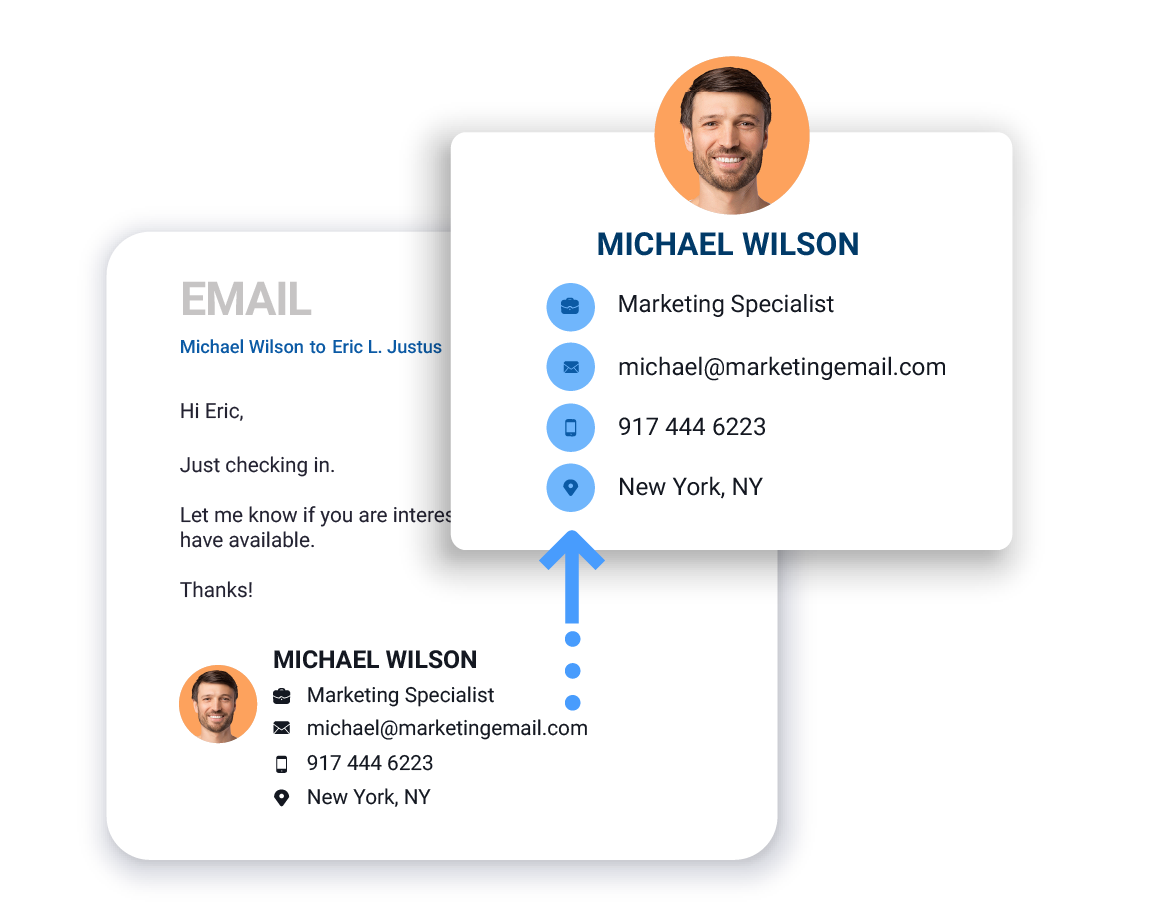
Parse email signature example
Step 3

Go back up to 10 years

SigParser can scan years into the past to find email addresses and relationships details. This can yield thousands of contacts you forgot you knew and save countless hours of manual data entry.
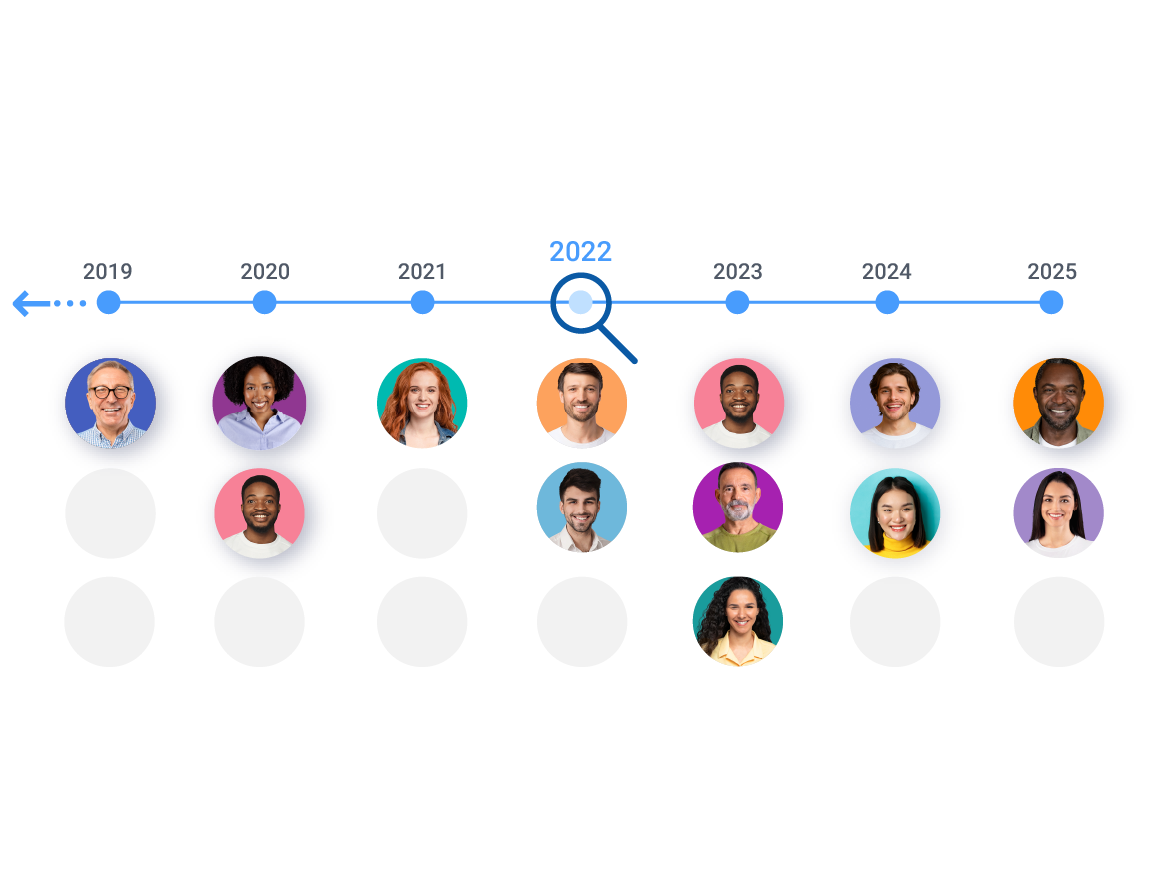
Look back in time. History scan
Step 4

Export Lists to CSV files or to your CRM

SigParser makes it easy to export contact details to .csv or Excel files. It also integrates with CRM, Contact, and Marketing apps to automatically update your contacts.

Export Contacts to a CRM system.
SigParser Makes It Easy
Watch our 60 second video to learn how easy it is to use SigParser
Try SigParser for FREE
We're offering a FREE trial of SigParser so you can find contact details in up to three mailboxes. Most people find hundreds of contacts in their free trial.

How Many Contacts Get Found?

On average, a team of ten sales reps will find 15,600 new contacts in the past two years of their email and calendar accounts. Below are some examples of how many contacts our customers have found with SigParser.
SigParser found 35,000 new contacts in the mailboxes and calendars of just three team members. These contacts were used by inbound sales and marketing teams to reach new prospects and increase opportunities for the sales team. Read the case study.
Heat Transfer Specialists wanted increase the efficiency of their sales team by automatically updating their contacts in Salesforce. They connected 8 mailboxes to SigParser and found over 9,000 email addresses, 6,000 phone numbers, and 1,900 job titles.
Centrl Office wanted to improve data quality in their CRM for their 6 salespeople. They connected email and calendar accounts of their sales team and in just 90 days of past emails and calendars, found 3,550 new contacts and updated 1,000 existing contacts with account names, phone numbers, and titles.
Extract Email Addresses for FREE
We're offering a FREE trial of SigParser so you can find contact details in past emails and calendars. Most people find hundreds of contacts in their free trial.
FAQ: Can’t I just export contacts from Outlook or Gmail myself?
Outlook and Gmail’s built-in export tools only export contacts you’ve manually saved. They don’t touch the email addresses buried in your actual messages, signatures, reply chains, or calendar invites. That’s where the vast majority of your contacts actually live. SigParser scans all of that automatically and builds complete contact records, including names, phone numbers, titles, and company details, not just email addresses.
FAQ: How long does setup take?
About two minutes per mailbox. Connect via OAuth (no password required), choose how far back to scan, and SigParser starts immediately. There’s no software to install and no IT support needed. Most users have their first contacts ready to export within a few hours of connecting.
FAQ: What’s included in the free trial? Will I get charged?
The free trial includes a 90-day historical scan across up to three mailboxes. No credit card is required to start. You’ll only be asked to pay if you want to scan further back in history, add more mailboxes, or subscribe for ongoing monitoring. Most users find hundreds of contacts in the free trial before deciding whether to go further.
FAQ: How many contacts will SigParser find?
On average, SigParser finds around 7,400 contacts per mailbox per year of email history, though results vary widely by how active the inbox is. A team of 10 sales reps scanning two years of email typically uncovers 15,600 contacts. One customer went from zero contacts to 143,000 overnight by connecting multiple accounts. Your first 90 days of history are free, so you can see your own number before committing to anything.
FAQ: Does SigParser extract more than just email addresses?
Yes, and that’s one of the key differences from basic extractors. SigParser pulls over 60 contact fields from email signatures and calendar invites: full name (first, middle, last), phone numbers, job title, company name, LinkedIn URL, physical address, and more. You get complete contact records, not a raw list of email addresses. Company records are also enriched with industry, employee count, and website.
FAQ: Can I connect multiple email accounts?
Yes. SigParser supports connecting one mailbox or hundreds. When multiple accounts are connected, contacts are automatically deduplicated across all of them, so the same person appearing in five different inboxes becomes one clean, complete record. The more mailboxes you connect, the more complete your contact picture becomes.
FAQ: Can SigParser find contacts in forwarded emails and reply chains?
Yes, and this is something most other tools cannot do. SigParser reads deeply nested reply chains and forwarded messages to surface contact details from earlier senders in the thread. These are often the contacts you’d never find with a basic header-only extractor, and frequently among the most valuable because they represent real business conversations.
FAQ: How far back can SigParser scan?
Up to 10 years of email history. You choose the timeframe when you start: 90 days (free), 1 year, 2 years, 5 years, or 10 years. Longer scans surface contacts from relationships you may have forgotten about entirely, and those are often among the most valuable.
FAQ: How accurate is the extracted contact data?
SigParser’s extraction accuracy is over 95% for standard email signatures. Data is automatically cleaned as it’s extracted: names split into first and last, phone numbers formatted with international codes, duplicates merged. Email addresses are validated at the extraction stage so invalid or spam addresses are flagged before they reach your export. You can manually edit any contact record if a correction is needed.
FAQ: Do you need my email password?
No. SigParser connects using OAuth authentication, the same secure standard used by apps like Slack, Zoom, and Salesforce to connect to Gmail and Outlook. You authorize access directly through Google or Microsoft. SigParser never sees or stores your password, and you can revoke access at any time from your email provider’s security settings.
FAQ: Does SigParser read my email content?
No. SigParser reads email metadata (headers, from/to addresses, and email signatures) to extract contact information. It does not access, read, or store the body content of your emails. SigParser is SOC 2 certified and all data is encrypted at rest and in transit.
FAQ: What email platforms and languages does SigParser support?
SigParser connects to Gmail, Google Workspace, Microsoft Outlook, Office 365, and any IMAP-compatible email platform. For language support, English is best-in-class. German is the next strongest, followed by solid support for Spanish, French, Portuguese, Russian, and Dutch.
Next: Start a Free Trial or Schedule a Demo
We're offering a live demonstration and a free trial of SigParser so you can find and email addresses and contact details from Outlook emails and calendars. Click one of the buttons below to take the next step.